|
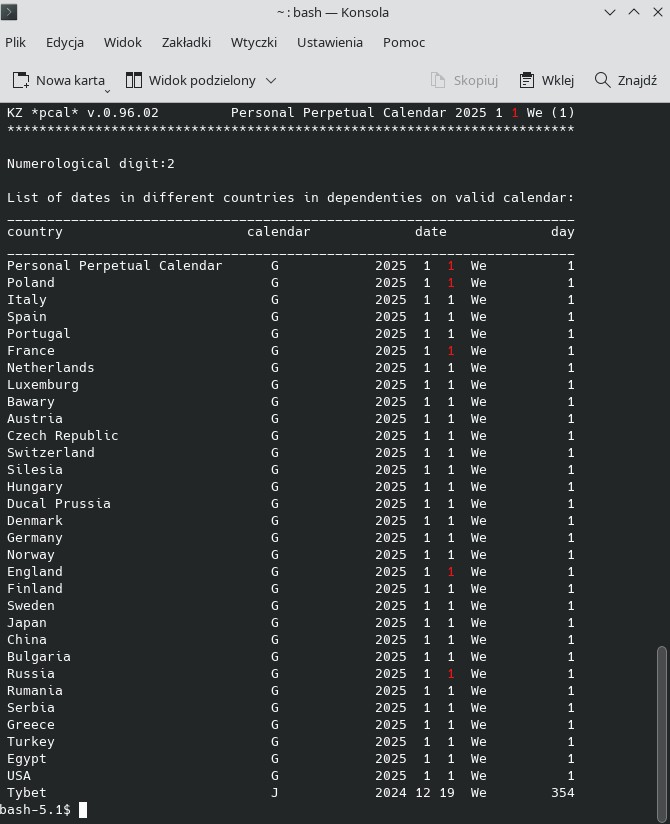
pcal - Perpetual Calendar (+ Bonus for Microsoft Windows)pcal is a computer program—a perpetual calendar—operated via a terminal. It can be useful for researching facts and dates from the distant past, taking into account the history of calendars since the year 46 BC, including later reforms (e.g., transitioning from the Julian to the Gregorian calendar) across 31 countries (such as England, Poland, the USA, and Russia). The program allows for basic calendar calculations such as: Determining the day of the week, day number, and numerological sum of a date. Calculating the distance between two dates. Specifying a date distant by a given period from another date. User-oriented information is displayed in a visually appealing format when using a color-capable terminal. The program results can be exported to TXT and HTML formats—especially useful for designing personal calendars. In the basic free. version - only monthly calendars are generated and the full calendar can only be obtained for the current year. In addition - in calendar calculations, the distance given cannot exceed 100 days and the dates given must be from the current year! The pro version requires the installation of a license key and has no such limitations.
∗ Discreet Reminder - gadget for Microsoft Windows! ∗Uses internal speech synthesizer in default configuration!The package with the pcal program for Microsoft Windows contains several CMD shell scripts! After unpacking, run the remindme.cmd script - the system speech synthesizer will read upcoming events from the initial DATES\DATES.TXT file. You can enter your own dates and comments into this file - they will be read aloud in chronological order. If you want to use the gadget on a stationary basis - move the DATES directory to the documents folder, and if every Windows user wants to use the application - copy the pcal.exe program along with the 3 CMD scripts to a new directory in Program Files. For simple automation - create a shortcut to the remindme.cmd script in the Windows Startup (and possibly on the desktop). Read the documentation included in the package to fully use the application's functions.∗∗∗Downloads
NotesThe license for the free version of the pcal program and the files from the package are free - only for non-commercial use! If you want to get a license key for the pro version - transfer me PLN 30 (that's less than 10 US Dollars) for one pro license via PayPal. I will send you the key or a link to download it within 48 hours. ∗∗∗ |